Studio OS · Projects and work management
Projects, deadlines and budgets in one place.
The proposal is accepted. Now the work needs to get done. Studio brings agreements, tasks, deadlines and the budget into the project, and helps you keep track of progress.
Start with one project already in progress.
In everyday work
What is done, what is waiting and what does it cost?
Studio OS helps organise everyday project work. Madis prepares the plan and follow-up tasks; you and your team do the work and report progress.
Tasks and responsibilities
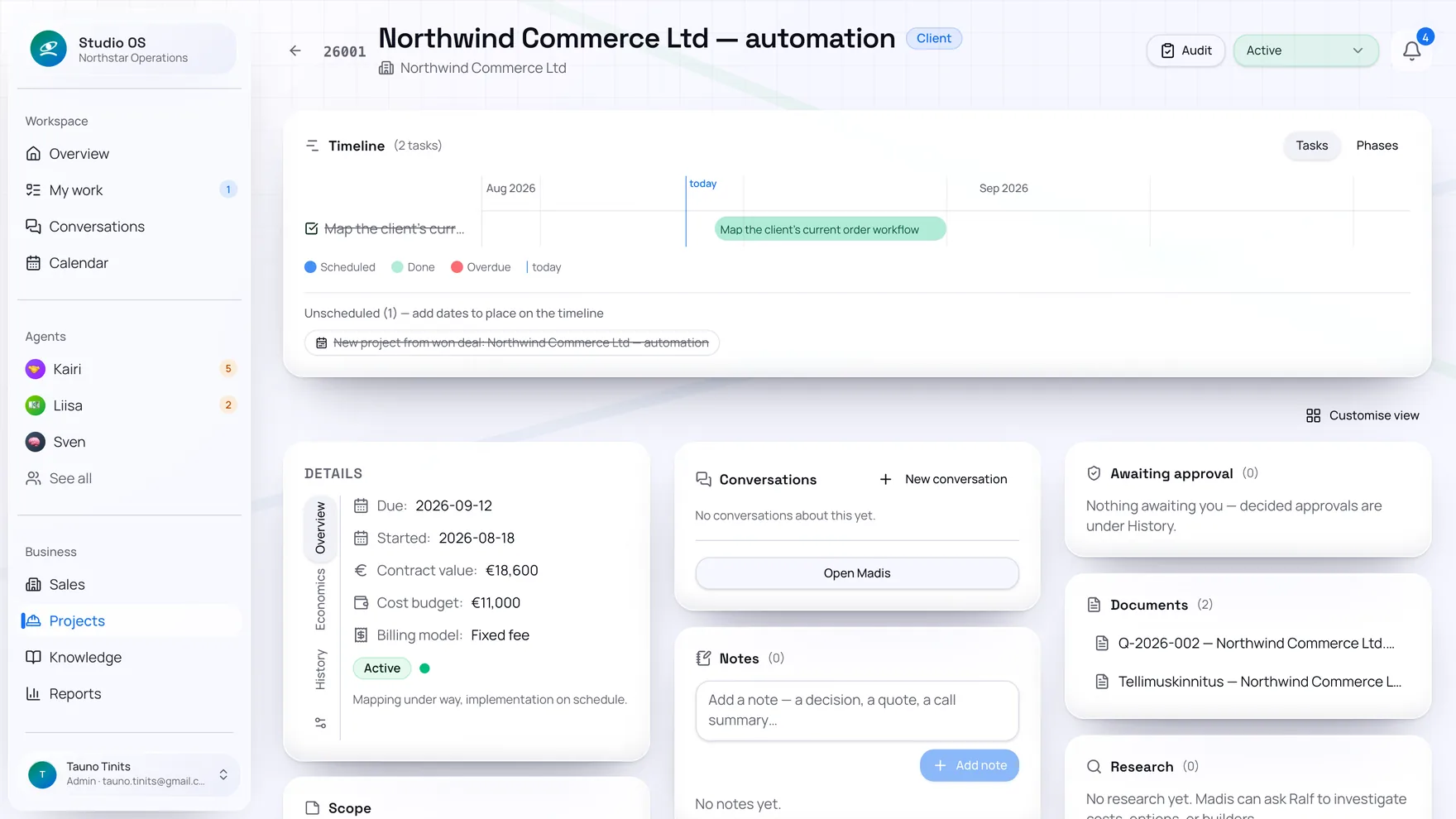
Divide a project into stages and tasks. Work assigned to a team member appears in their personal work queue, where they can report progress or a blocker.
Scheduling and planning
The timeline shows dates for tasks and stages. Madis helps schedule work and update the plan when the client requests a change.
Budget and agreements
Keep the contract value, cost budget and project finances alongside the work. Related documents and correspondence help you check the agreed scope and decide whether extra work needs approval.
Before you start
Can I add a project that is already in progress?
Yes. Create the project manually or ask Madis to add it in chat. Start with the client, the scope and known deadlines. Existing agreements and documents can be linked to the project.
Can I assign tasks to my own team?
Yes. A task assigned to a Studio user appears in their My work view. They can report progress, completion or a blocker. The project shows whose contribution the next step is waiting for.
Does Studio help with invoicing too?
Madis can ask Liisa, the finance agent, to prepare an invoice using project details. Issuing the invoice and passing it to accounting follow the approval process and the capabilities of your connected accounting software.
One task at a time
Let’s make one project’s status clear.
Bring one ongoing project, its agreements, deadlines and budget. We’ll put the first plan together so you can see how Studio helps with your own work.