Studio OS · Automation
Give recurring tasks to Studio.
A weekly overview, a follow-up on an unanswered proposal, a project status check. Describe the result you need, when the work should happen and which decisions you want to approve yourself.
Start with one task you currently have to remember yourself.
In everyday work
Delegate a task once or make it a regular job.
Studio OS’s AI agents can use company information and the tools they have permission to access. They prepare replies, reports and next steps based on your instructions.
Use your own words
For example: “Review this week’s unanswered proposals and prepare follow-up emails.” You can refine the request and review the completed work in chat.
Choose a time or a trigger
Work can repeat on a schedule or start from a supported event, such as a new client inquiry. A workflow can also include several scheduled steps.
Decide what needs approval
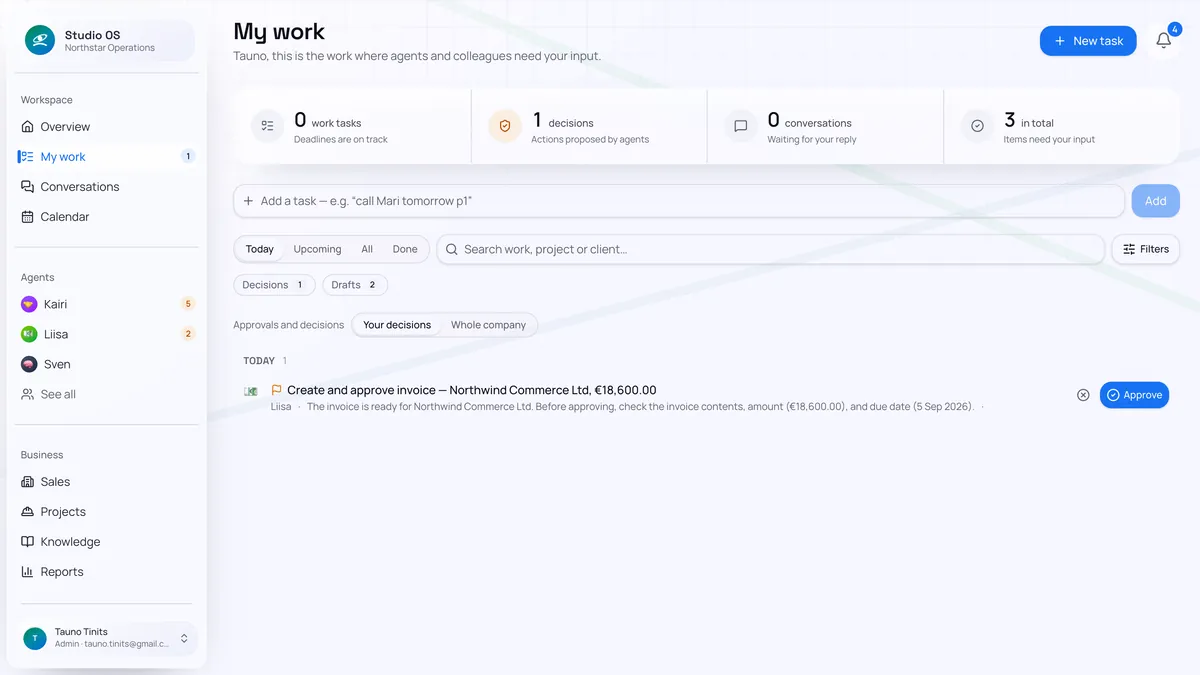
Start with drafts for review. Once the work is reliable, you can approve specific actions in advance. See what the agent did and what is waiting for your decision.
Before you start
Do I need to know how to program an automation?
Start by describing the work in your own words. Studio helps turn the instruction into a workflow. You agree on the information needed, responsible agent, timing or trigger, and approvals. A workspace administrator manages recurring company workflows.
Can Studio do anything I ask for in chat?
The task needs to fit the agent’s skills, permissions and connected tools. Working with email, for example, requires an inbox connection. When choosing the first task, we check that the necessary information and actions are available.
How do I stay in control?
You set agents’ permissions and decide which actions need approval. Activity history and pending decisions are visible. Workflows can be changed or disabled; work already started and pending approvals need a separate review.
One task at a time
Let’s choose one task you repeat every week.
Describe what you do today, where the information comes from and the result you need. We’ll agree on one workflow and review the first results together.