Studio OS · Plan it together
Turn a complex request into a clear quote and project plan.
When a quote needs several documents, a clearer scope and a workable delivery plan, bring in Kairi and Madis. In the planning room, you turn the client's request into a shared plan, a priced quote and a project schedule.
Open the client's opportunity and choose “Plan it together”.
In everyday work
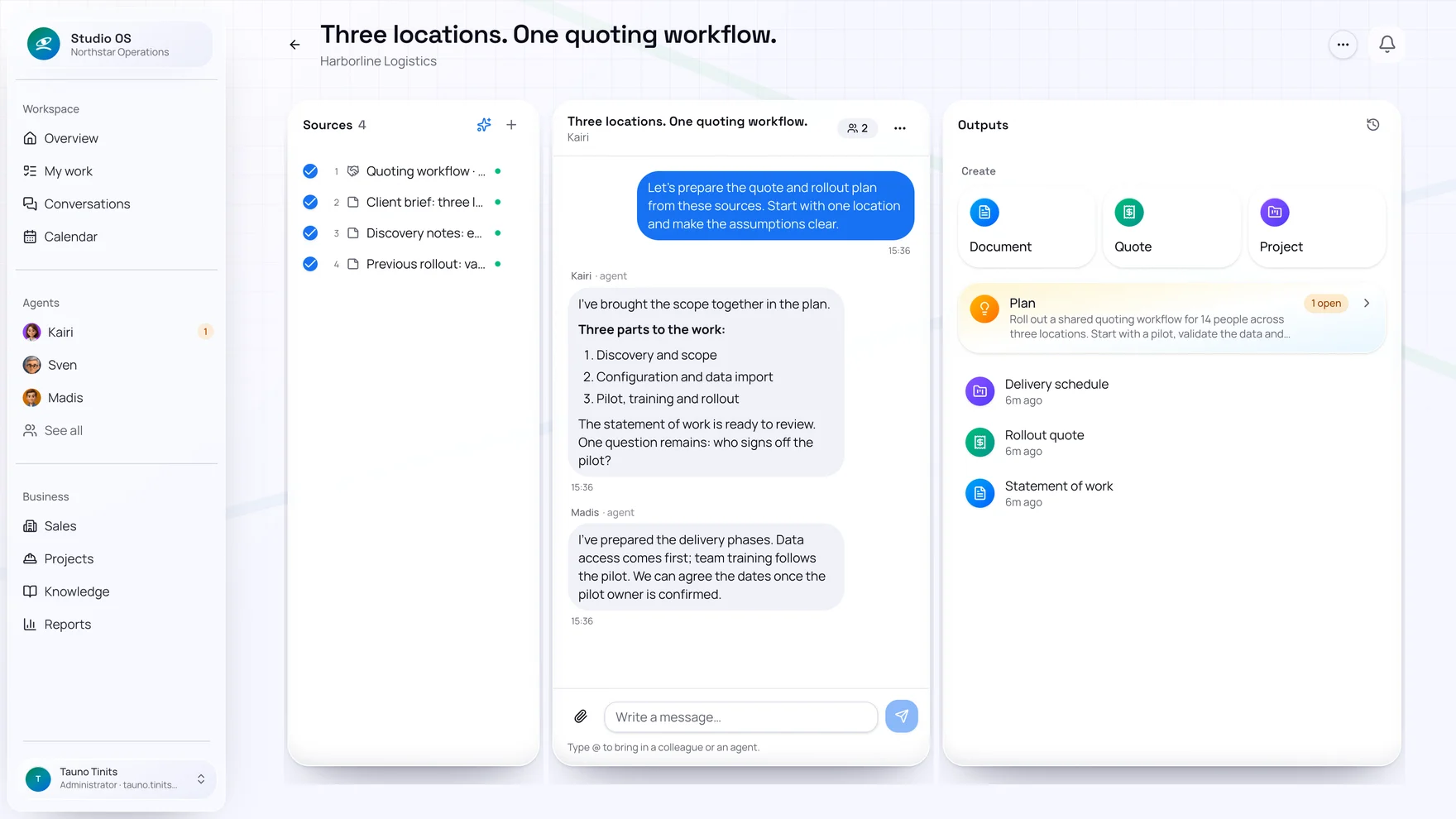
Sources, conversation and outputs. Side by side.
A place to work through the details before making a commitment. The same context supports both the quote and the delivery plan.
Bring the sources together
Add client emails, documents, discovery notes and relevant earlier work. Choose which sources belong in this plan.
Work through the plan together
Discuss the work with agents, answer questions and distinguish known facts from assumptions. Scope, risks and decisions become part of the shared plan.
Prepare usable outputs
Create and edit a statement of work, checklists, a priced quote and project phases and tasks. Save documents as PDFs when they are ready.
One discussion. Three practical results.
A statement of work
Set out what is included, what is excluded and how the result will be accepted. Create separate access or handover checklists when the work needs them.
A considered quote
Review quantities, prices and terms. Save the quote to the client's opportunity, then ask Kairi to prepare it for sending.
A starting plan for delivery
Prepare phases, tasks, owners and dates. Once the opportunity is won, carry the reviewed plan into the project. The planning room remains as its history.
Before you start
When should I use the planning room?
When a request needs several sources, clarification or input from more than one specialist. Examples include construction or installation work, a software rollout or preparing a new client relationship. For a straightforward quote, you can still ask Kairi directly.
Can I edit the text, prices and schedule myself?
Yes. Edit documents, quote lines and the project plan directly, or ask an agent to refine a specific passage or task. Plan history keeps track of changes and their authors.
Does planning immediately assign real tasks?
No. The schedule in the room is preparation. A plan linked to an opportunity can be carried into delivery after the opportunity is won. Project setup is applied directly or goes for approval according to your permissions.
Can I plan without a sales opportunity?
Yes. Open an internal planning session from the client's plans, for example to prepare documents or a separate piece of work. The room still belongs to that client.
One task at a time
Bring one of your more complex requests.
Let's look at the sources you have, the questions still open and how to turn them into a quote and a workable project plan.